What's new
What's new in OutOnTime
Release notes for OutOnTime, the routine timer for Android. Updates arrive through Google Play; if you already have the app, you get them automatically.
Version 0.0.4
On Google Play since 27 November 2026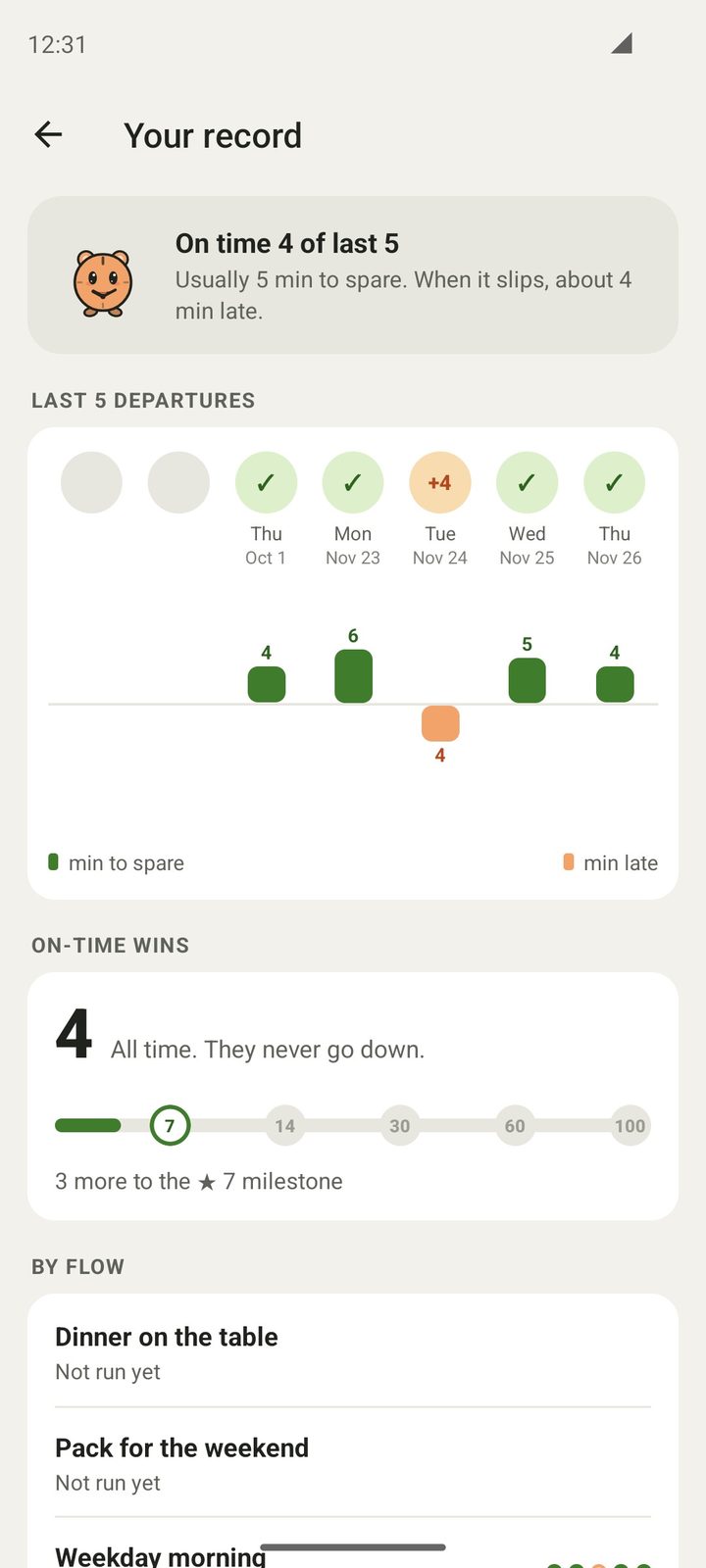
New
- OutOnTime speaks German and French. The app follows your phone's language, and you can choose another one in Settings › Language.
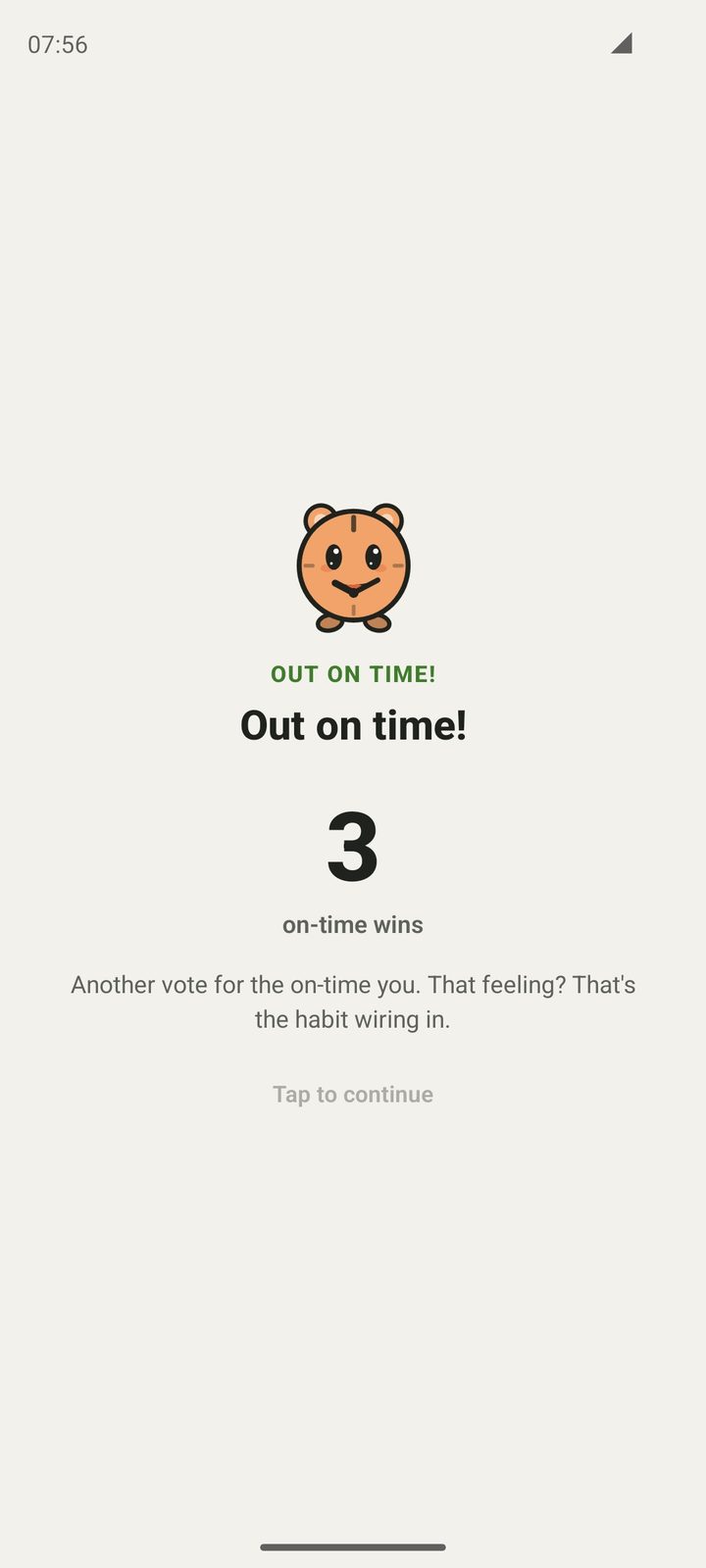
- Meet Ten-Ten. Your on-time companion is now a small alarm clock whose hands are its smile. It blinks, laughs when you're on a roll, and rings its bells when you make it out on time. Tap it on the celebration screen to hear them again.
- Your on-time record. Tap the companion card on the home screen to see your last seven departures with their dates and minutes to spare or late, your on-time wins, and how each Flow is doing.
- A menu for every Flow. Long-press a Flow on the home screen to edit it, start it, duplicate it, rename it or delete it.
- 12-hour or 24-hour time. Choose in Settings › Clock. By default, the app follows your phone's setting.
- An About page. Settings › About shows your version and what's new, and lets you send feedback or recommend OutOnTime to a friend.
Improved
- A faster duration dial. The dial responds faster and its ticks keep pace with your finger. A quick flick lands on its value and saves it once, and short steps can now be 1, 2, 3 or 4 minutes.
- Clearer step icons. In the Flow editor, a step without its own icon shows an hourglass ⏳ instead of an arrow.
Fixed
- A setting you change takes effect at once: an alert switched off just before you leave the app stays off, two quick taps on a switch both count, and a new sound is always saved in one piece.
- A long Flow that starts the evening before a ready-by time after midnight now counts from that night's ready-by.
- During a run, a step's time no longer reads "5m (was 5m)" when nothing really changed.
- The screen reader now says "1 minute", not "1 minutes".
Version 0.0.3
On Google Play since 27 September 2026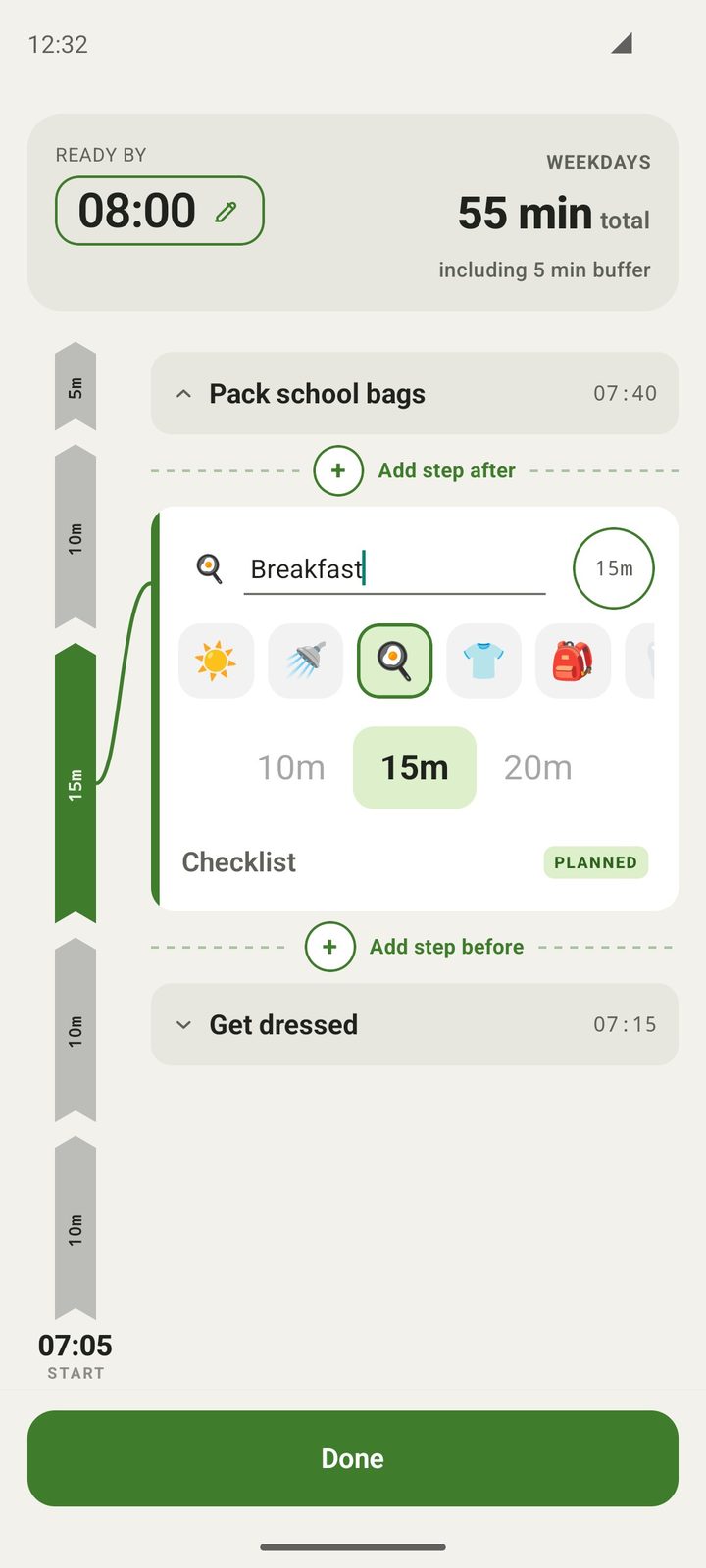
New
- Mark a step done from the notification. Step reminders now carry a Step done button, so you can move on without opening the app — from the phone, or from a paired watch that shows your phone's notifications. The next step is announced straight away, with how long it has and when it ends, plus a Skip step button in case you want to move past that one too.
- Reminders that keep going when a step runs over. After the first "running over" alert, another follows at a pace you choose — every minute up to every 10 minutes — until you mark the step done, and for up to 20 minutes after your ready-by time. Each reminder names the next step; near the deadline it also says how many steps are left and how far away your ready-by time is. The final one says it is the last.
- A new way to edit steps. Tap a step and its name, icon and duration open together in one sheet, all within reach while the keyboard is up. Add a step directly before or after the one you are editing, choose from a much larger set of icons, or tap a step's time to get just the duration dial.
- Choose how your alarm and alerts sound. Pick one of your phone's own sounds or the built-in one, hear it before you choose, and pick a vibration pattern. Run alerts can also be vibration-only or completely silent.
- A wake-up alarm you can rely on. The alarm now plays at your alarm volume and rings through silent mode, as an alarm clock does. Settings shows an "Alarm-ready" mark when everything it needs is allowed, and a test button fires a real alarm in a few seconds.
- Settings, redesigned. The front page now sums up your setup in plain language, with separate pages for the wake-up alarm, reminders and run alerts. One switch pauses all run alerts for a quiet day and brings your choices back exactly as they were. The evening check-in can now be switched off.
- Tuck the timeline away. During a run, the tab on the left edge folds the timeline away and gives your steps the full width; the ready-by time moves into the top card.
- A proper celebration. Finishing on time now sets off a short fireworks show, with a buzz timed to each burst. If your phone's reduce-motion setting is on, both are skipped.
- Finished from your watch? If you complete your last step from a notification while the app is closed, the next time you open it you are greeted with the result of your run.
Improved
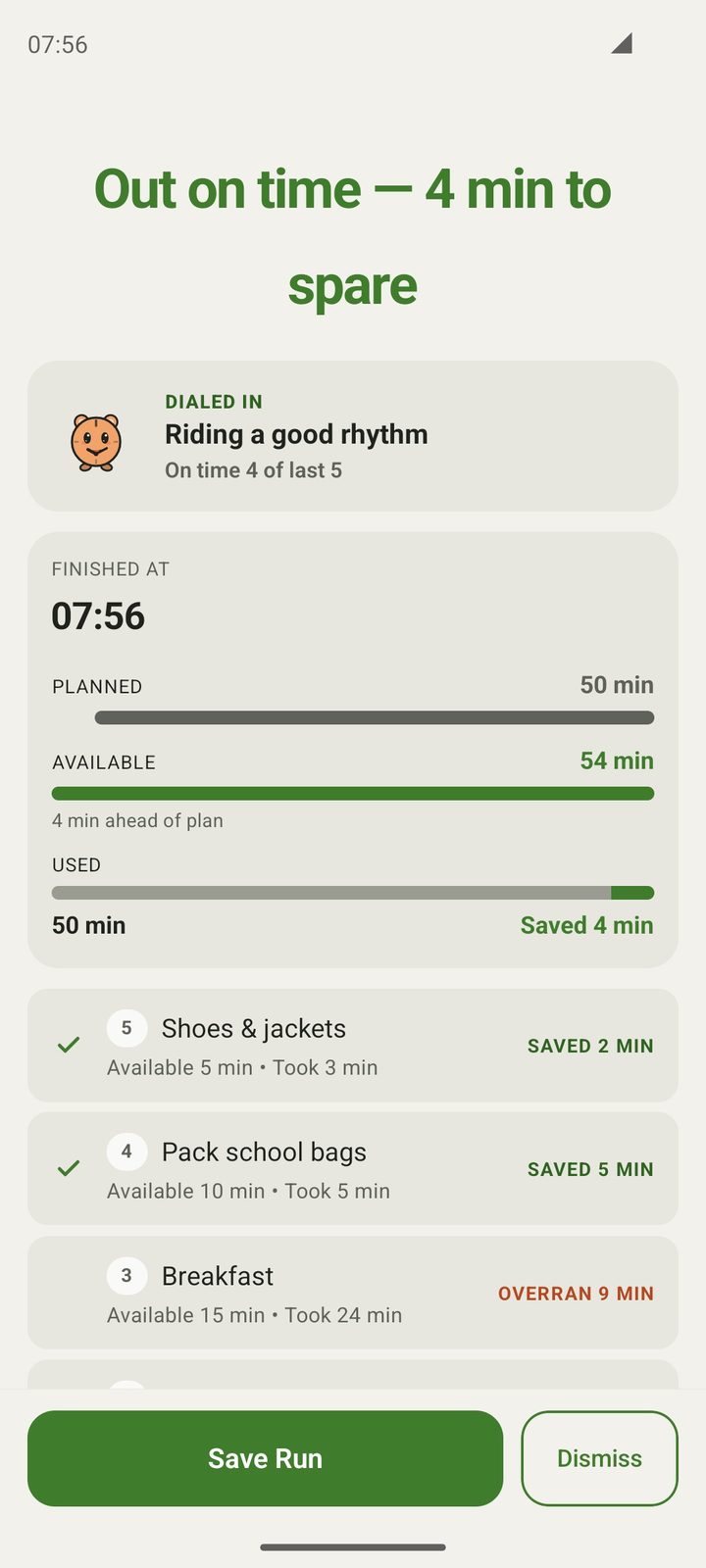
- A clearer run summary. Steps you finished early now get a green check, and the minutes you saved are shown in green.
- Skipping is fairer. A step you skip after starting it keeps the minutes you already spent on it, so your buffer only gains the time you did not use.
- Home keeps up. Flow cards show the number of steps and the total time, refresh as soon as you edit a Flow, and follow the clock. A repeating Flow no longer shows as "Past" once today's ready-by time has gone; it tells you when it runs next.
- Deleted Flows, handled properly. They now live in Settings under "Your data" and are removed for good after 30 days. Your history is kept: past runs stay in History and still count toward your On-Time Standing.
Fixed
- Snoozing the wake-up alarm and then opening the app no longer cancels the snoozed alarm.
- When you are running behind, step reminders now follow the same end time the app shows for that step.
- An alert due in the seconds after you leave the app is now shown straight away instead of being lost.
- Opening the app in the last minute before a Flow starts no longer cancels its start alert.
- Timeline labels no longer wrap on phones with larger font sizes, and the ready-by time now shows during a run on narrow screens.
Earlier versions are not listed here. Questions or feedback: [email protected]
Try the latest version
OutOnTime is free, with no ads and no account. It is in open beta on Google Play.
Get it on Google PlayOutOnTime is developed alongside a regular job. If you'd like to support its development, you can leave a tip on Ko-fi. Tips unlock nothing in the app.